SMS Opt-In Flow
This page documents how users voluntarily and optionally choose to receive SMS verification from Bluntlee. SMS opt-in is never required — users may always choose email verification instead.
Important: SMS opt-in is entirely optional. Users are presented with an equal choice between Email OTP and Phone/SMS OTP verification at registration. No phone number is collected unless the user actively selects the SMS option.
User Downloads the App
No SMS SentThe user downloads the Bluntlee mobile application and opens it for the first time. No SMS is sent at this stage.
User Is Presented With a Free Verification Choice
SMS is Optional — Free ChoiceOn the Register screen, the user is shown two equally presented options before entering any details. They must actively choose how they want to verify their identity. Neither option is pre-selected.
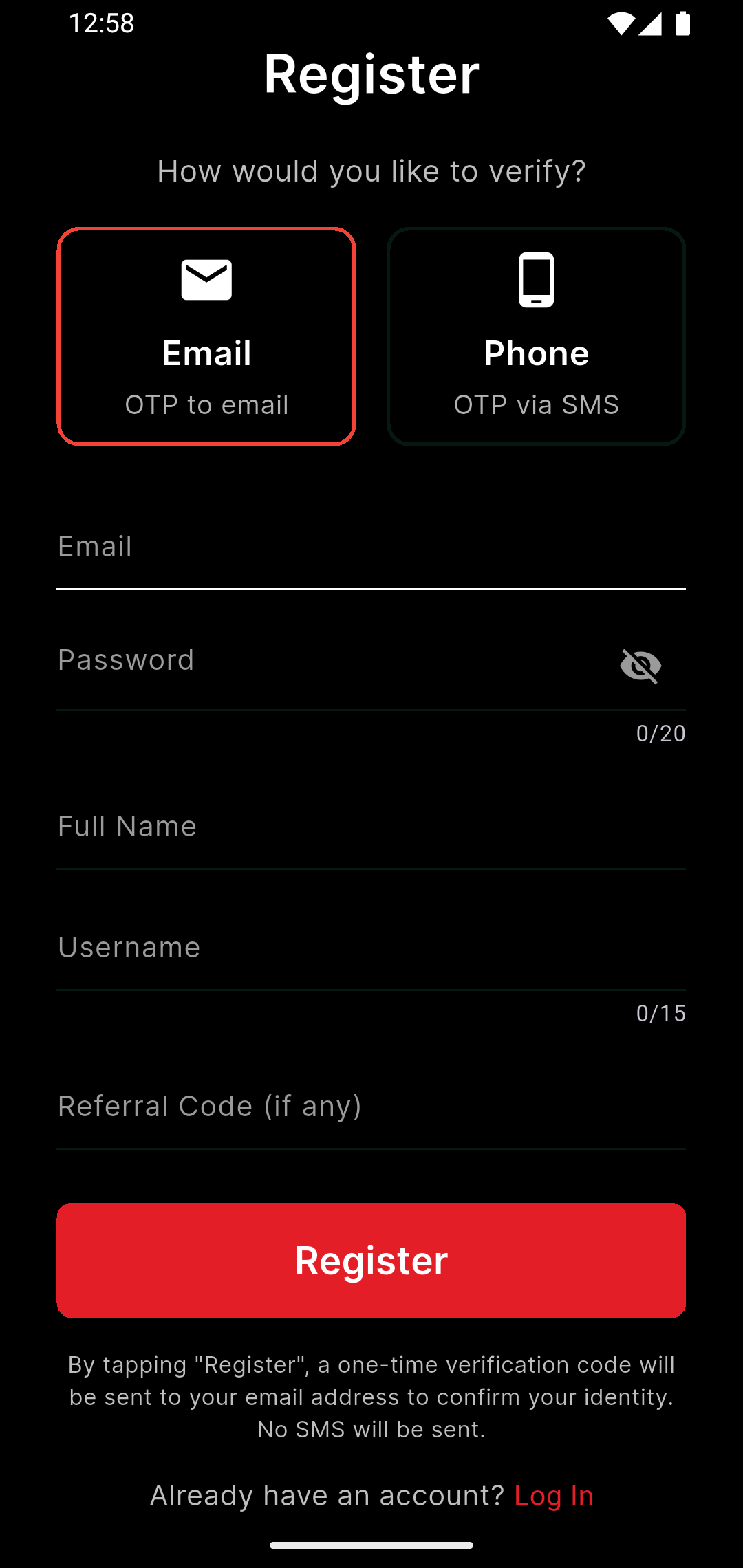
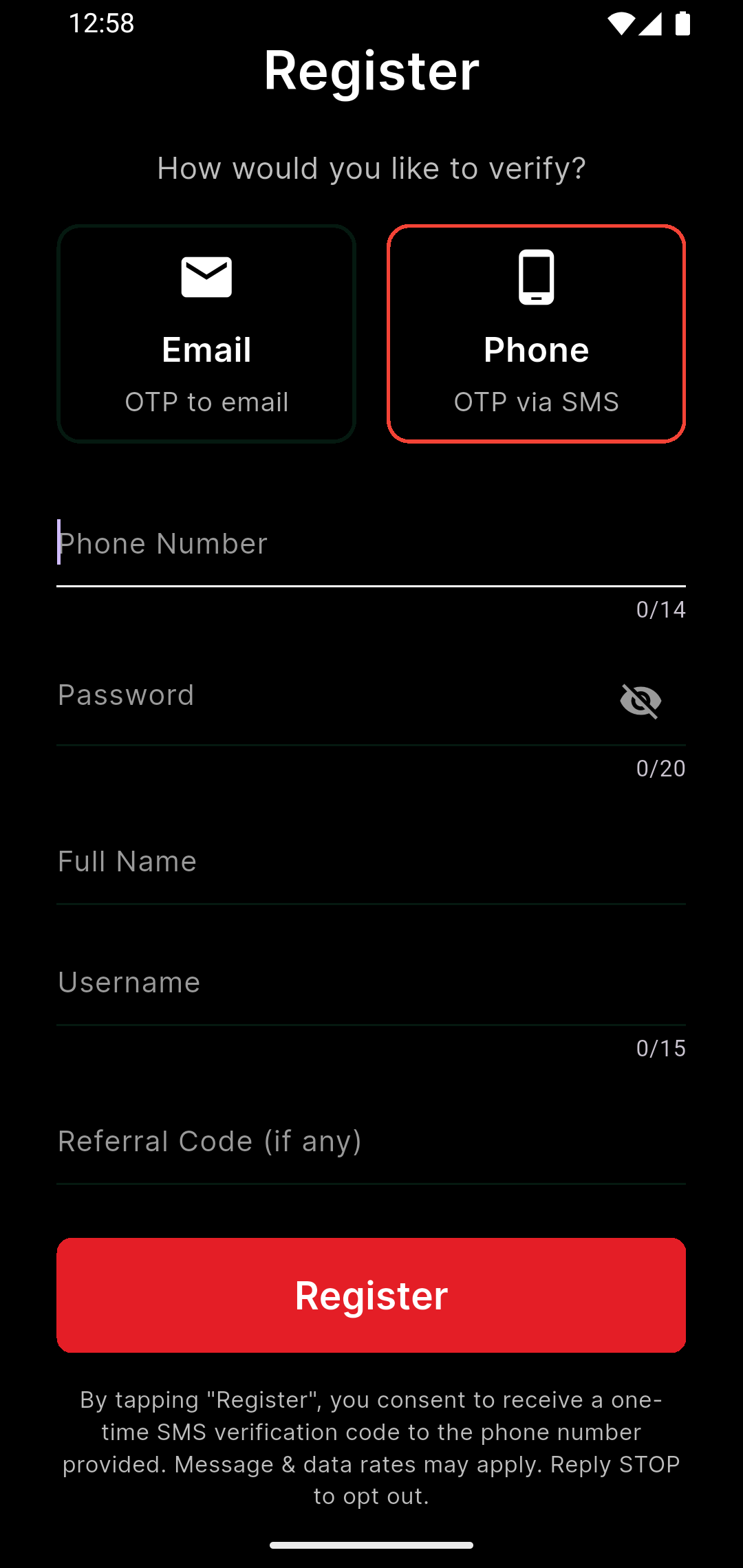
User Who Chose SMS Gives Explicit Consent & Taps Register
Explicit & Optional SMS Opt-InOnly users who actively selected the Phone/SMS option see SMS consent language below the Register button. This consent text is never shown to users who selected Email. The user must actively tap "Register" to proceed — there is no pre-checked box or assumed consent.
OTP is Sent via the Chosen Method
For users who chose Email: a one-time code is sent to their email address. For users who chose Phone/SMS: a single OTP is sent via SMS to the number they provided. No SMS is ever sent to users who chose the email verification path.
User Enters the OTP to Verify Their Account
Verification CompleteThe app presents a "Verify Account" screen where the user enters the code received via their chosen method — either email or SMS. Once verified, the account is created. No further SMS messages are ever sent unless the user initiates another login or password reset.
Verify Account
Enter the 4-digit code sent
to user@example.com
Resend in 0:58
We've sent a OTP to your registered email address. Please check your inbox and verify your account.
Verify Account
Enter the 4-digit code sent
to your mobile 733-544-5457
Resend in 0:58
We've sent you a OTP to your registered phone number. Please check your message inbox and verify your account.
Consent & Compliance Summary
Transactional — one-time password (OTP) only
User actively selects SMS option — never required or pre-selected
Yes — users may always choose email verification instead
Displayed below Register button only when SMS option is selected
Users may reply STOP at any time
Users may reply HELP for assistance
None — no promotional SMS is ever sent